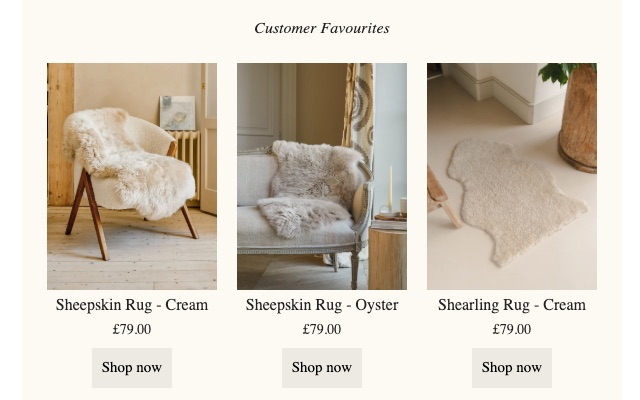
We reviewed the 19 campaigns sent between 19 August and 15 October, looking at what helps an email reach the inbox and get clicked: image weight, how much is live text, how the buttons read, and what happens on phones, in Outlook and with images switched off.
Bounces and spam complaints sit well under the limits Google and Yahoo enforce.
Good practice is under 1MB. The cause is export settings, not the number of photos.
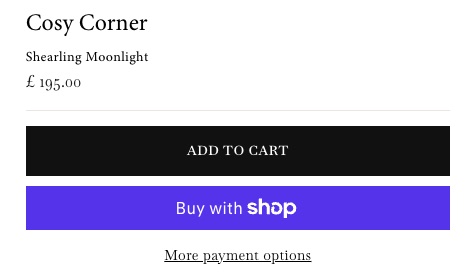
The fix already exists on your website: the Add to Cart button.
This is the part that decides whether emails reach the inbox at all, and it is fine. The design changes below are about load speed and clicks, not rescuing deliverability.
On image versus text balance: about half of each email's scroll is photography. That sits right at the edge of the usual 60/40 guidance, and the copy carries its weight, so we would not cut photos for deliverability. We would make each photo far lighter (section 03). One watch-out: Rug Sizing's code is 87KB before Klaviyo adds tracking links. Over 102KB, Gmail hides the end of the email behind a "View entire message" link, including the unsubscribe link, which is the one thing that can push complaints up.
The email buttons are pale beige (#EEEAE3) on cream (#FCFAF2). The words are readable, but the button shape itself is only 1.15:1 against the background, where accessibility guidance asks for at least 3:1. On a phone the eye slides straight past it. The website already solved this in a way that is entirely on brand: a solid near-black Add to Cart button with white capitals and square corners, and a plain underlined link for the secondary action.

Everyone does the same thing. Arms out, squinting at the gap beside the sofa, trying to picture it.
So we've drawn all four sizes against the same three-seater. Stop guessing, and sink your toes into soft sheepskin sooner.
Shop rugs| Element | Spec for Klaviyo |
|---|---|
| Primary button | Fill #111111 · text #FFFFFF · uppercase · letter-spacing 2px · square corners · at least 48px tall · Klaviyo Button block (live HTML), not an uploaded image |
| How many | One black button per section at most; ideally one main button per email, repeated once at the end on long emails |
| Secondary links | Product tiles and "Shop all": underlined text link in #111111, at least 44px tap height |
| Button font | Baskervville, Georgia, 'Times New Roman', serif. Apple Mail shows Baskervville when set as a web font; everyone else gets Georgia |
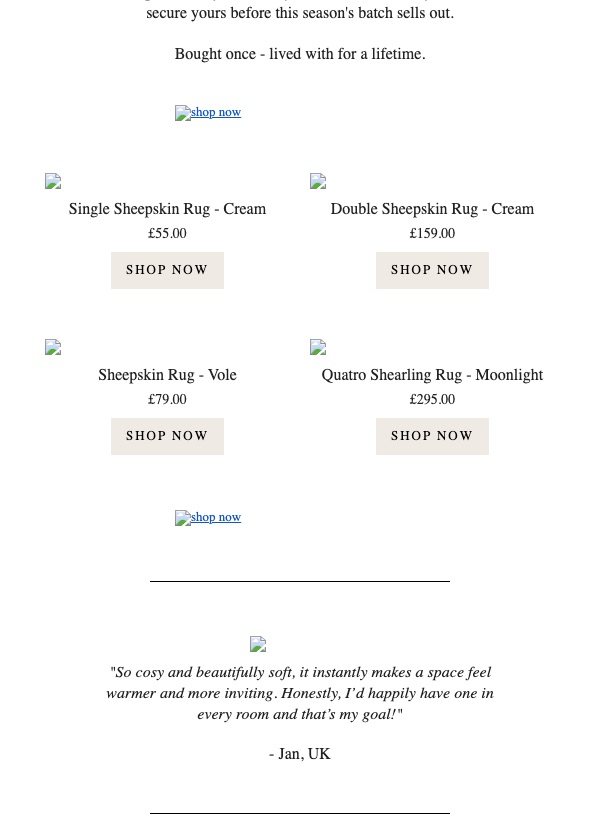
Every email we measured downloads several megabytes of images, and the heaviest download 50MB. On mobile data that means photos still loading while the reader scrolls past them, and Gmail on a phone often shows grey boxes first. Nothing here needs fewer photos. Three export habits explain almost all of it.
&width=1200 to Shopify image links (or ?width=1200 if the link has no "?"). Same photo, roughly a tenth of the weight.Outlook desktop and many corporate inboxes block images until the reader clicks "download pictures". Right now that reader gets a white email (the cream background is itself an image), no headline, no logo, and the main buttons as small blue links. The words survive; the sale does not.
'serif' in quotes, which no device recognises, so everything falls back to Times. Change it to Georgia, 'Times New Roman', serif.Rug Sizing keeps three products across on a phone, so each tile is about 88px wide, names wrap onto two lines, and the buttons are 40px tall (Apple's minimum is 44px). It also has twelve tiles: three colours of each of four sizes at the same price. The email exists to help someone choose a size, and twelve near-identical choices pull the eye back to colour.

width=1200